> ## Documentation Index
> Fetch the complete documentation index at: https://docs.petrasecurity.com/docs/llms.txt
> Use this file to discover all available pages before exploring further.
# Threat Remediation Report
> White-label PDF report.
## Downloading the Threat Remediation Report
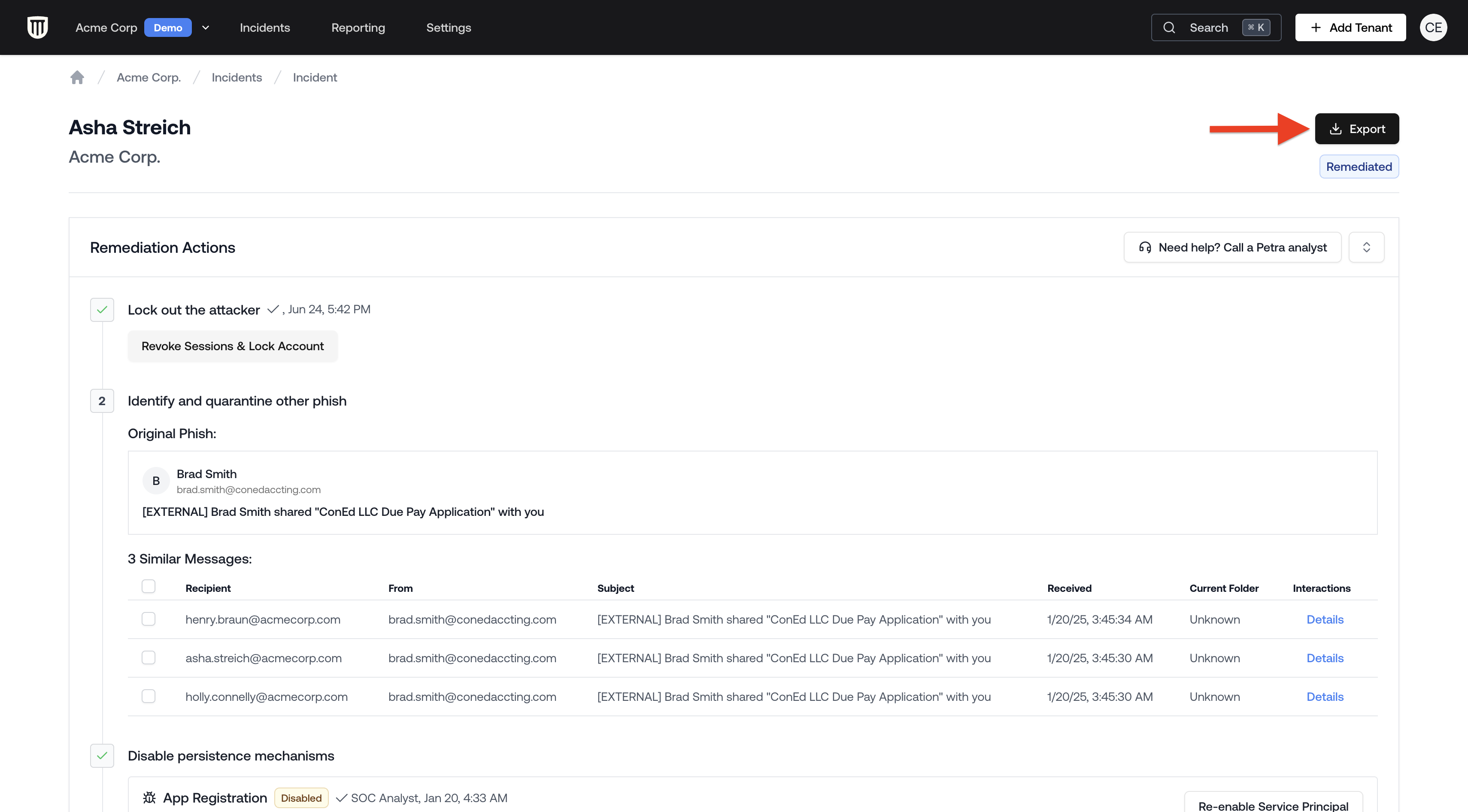
1. From the **Homepage**, navigate to the **Incidents** tab located at the top navigation bar.
2. Open the incident.
3. Click the **Download Report** button in the top right corner of the incident page.
 ## Report Contents
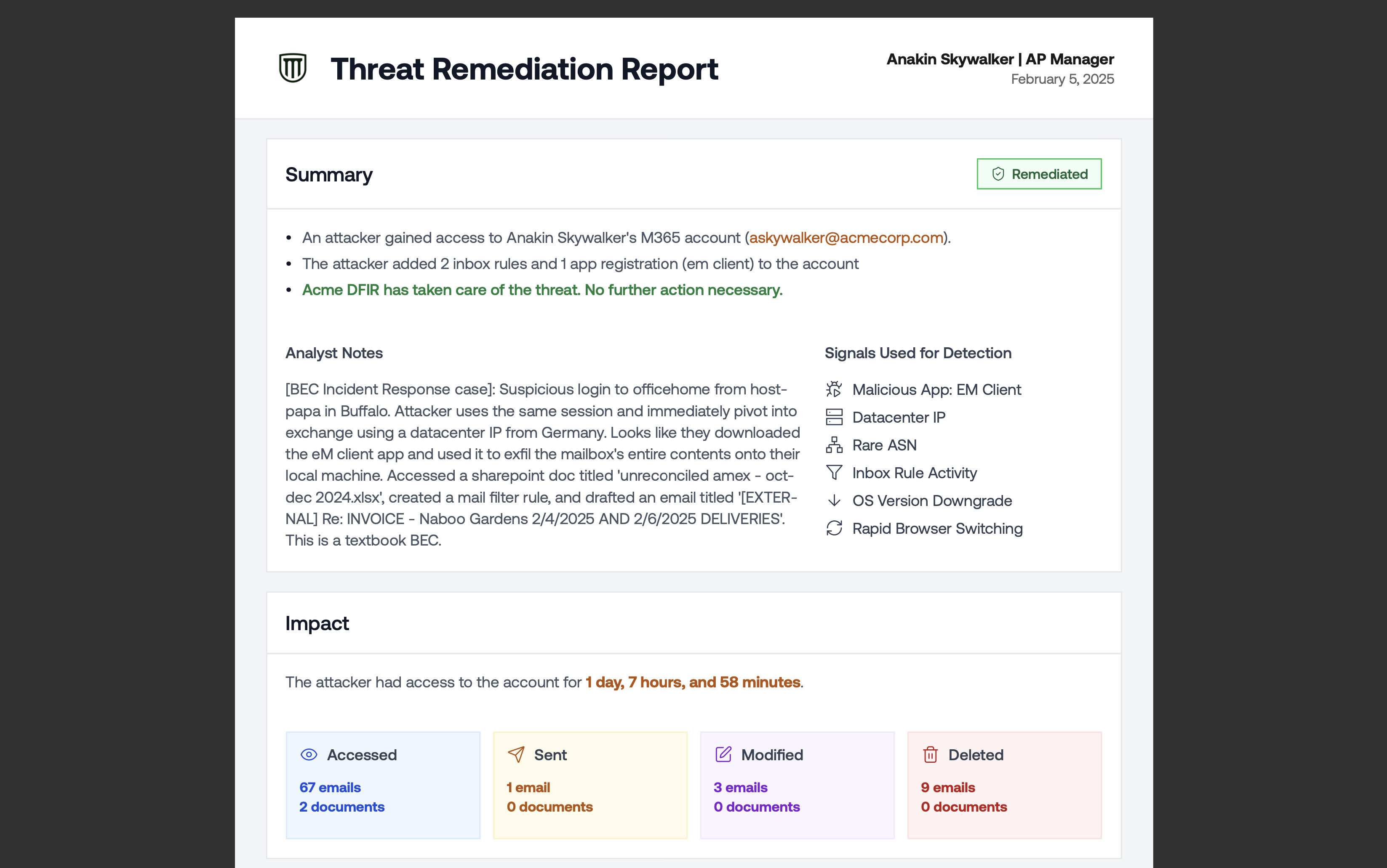 The report includes:
* Executive Summary with a chronological narrative split into **before the compromise** (how the attacker gained access) and **after the compromise** (what the attacker did once inside)
* Incident tags showing the nature and scope of the attack (for example, Phishing, AiTM, Brute Force, Business Email Compromise, Data Exfiltration, Sent Out Emails, Used Inbox Rules). These tags match exactly what appears on the incident page in the web application.
* Impact of the attack, including duration and number of accessed resources
* Attack timeline, including the phishing email and the attacker's activity
## Customizing Report Branding
Threat remediation reports use the same white-label branding as tenant reports. To update the logo, organization name, or contact email that appear in the PDF, go to **Settings → Branding**. See [Customizing Report Branding](/reporting/tenant-report#customizing-report-branding) for details.
## Redacted Incident Reports
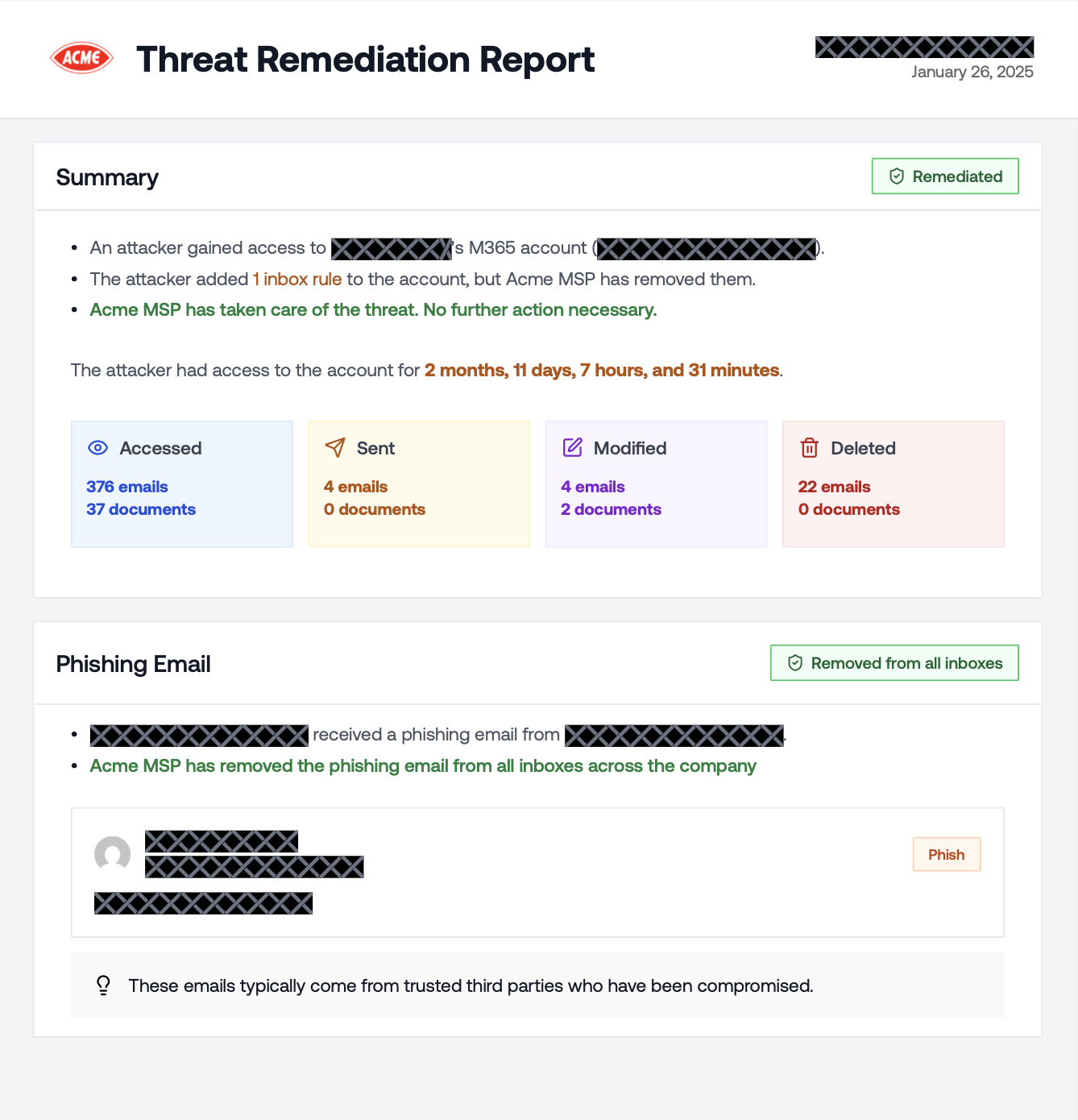
A **Redacted PDF Report** strips out all client-identifying information from the incident report so you can share real compromise data with prospects and other clients without exposing sensitive details. It's the same forensic depth as the standard report (attack timeline, blast radius, persistence mechanisms, phishing evidence), with all PII replaced by redaction blocks.
What gets redacted:
* User emails and display names
* Email subjects and body content
* File names and document paths
* App names and IDs
* Inbox rule names and conditions
* IP addresses and location data
What stays visible:
* Incident tags (Phishing, AiTM, Brute Force, BEC, Data Exfiltration, etc.)
* Counts and statistics (emails accessed, documents touched, etc.)
* Dates and timestamps
* Remediation status (Deleted, Disabled badges)
* Section structure and attack narrative
The report includes:
* Executive Summary with a chronological narrative split into **before the compromise** (how the attacker gained access) and **after the compromise** (what the attacker did once inside)
* Incident tags showing the nature and scope of the attack (for example, Phishing, AiTM, Brute Force, Business Email Compromise, Data Exfiltration, Sent Out Emails, Used Inbox Rules). These tags match exactly what appears on the incident page in the web application.
* Impact of the attack, including duration and number of accessed resources
* Attack timeline, including the phishing email and the attacker's activity
## Customizing Report Branding
Threat remediation reports use the same white-label branding as tenant reports. To update the logo, organization name, or contact email that appear in the PDF, go to **Settings → Branding**. See [Customizing Report Branding](/reporting/tenant-report#customizing-report-branding) for details.
## Redacted Incident Reports
A **Redacted PDF Report** strips out all client-identifying information from the incident report so you can share real compromise data with prospects and other clients without exposing sensitive details. It's the same forensic depth as the standard report (attack timeline, blast radius, persistence mechanisms, phishing evidence), with all PII replaced by redaction blocks.
What gets redacted:
* User emails and display names
* Email subjects and body content
* File names and document paths
* App names and IDs
* Inbox rule names and conditions
* IP addresses and location data
What stays visible:
* Incident tags (Phishing, AiTM, Brute Force, BEC, Data Exfiltration, etc.)
* Counts and statistics (emails accessed, documents touched, etc.)
* Dates and timestamps
* Remediation status (Deleted, Disabled badges)
* Section structure and attack narrative
 ### Downloading the Redacted Report
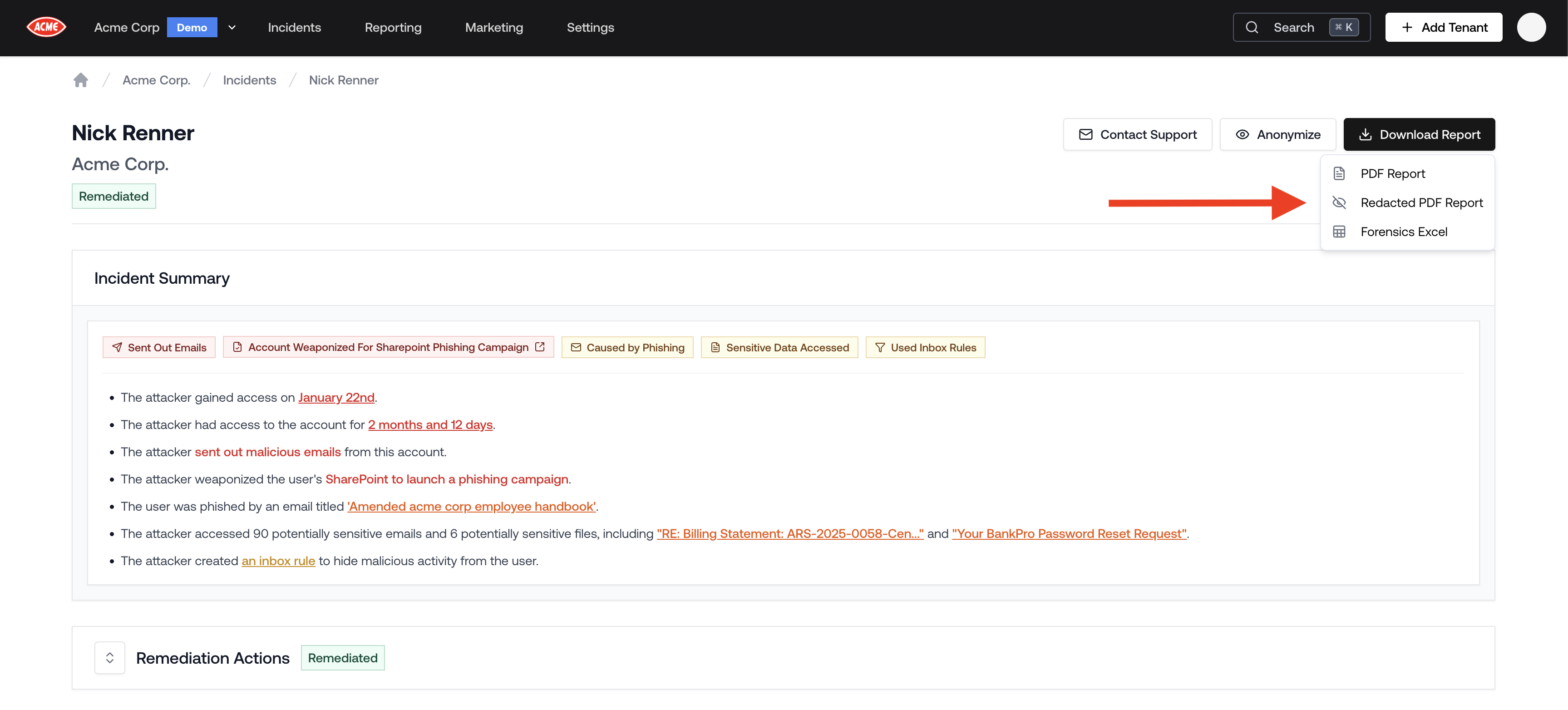
1. Open the incident.
2. Click the **Download Report** button in the top right corner.
3. Select **Redacted PDF Report** from the dropdown.
### Downloading the Redacted Report
1. Open the incident.
2. Click the **Download Report** button in the top right corner.
3. Select **Redacted PDF Report** from the dropdown.
 ### Using Redacted Reports for Prospecting
Redacted incident reports are one of the most effective prospecting tools available. When pitching to a prospect, you can pull up a real compromise from another client's environment — with every piece of identifying information hidden — and walk through exactly what an attacker did, how long they were active, and what Petra caught. The story is real; the client remains anonymous.
If you've onboarded a prospect's tenant and have Scan or Autopsy results, pair the redacted report from a similar client with the [Prospecting Report](/reporting/prospecting-report) to show both the threat landscape and a concrete example of Petra catching it in real time.
## Sample Report
If you're curious, here's a sample report: [Sample Threat Remediation Report](https://na2.hubs.ly/y0swGh0)
### Using Redacted Reports for Prospecting
Redacted incident reports are one of the most effective prospecting tools available. When pitching to a prospect, you can pull up a real compromise from another client's environment — with every piece of identifying information hidden — and walk through exactly what an attacker did, how long they were active, and what Petra caught. The story is real; the client remains anonymous.
If you've onboarded a prospect's tenant and have Scan or Autopsy results, pair the redacted report from a similar client with the [Prospecting Report](/reporting/prospecting-report) to show both the threat landscape and a concrete example of Petra catching it in real time.
## Sample Report
If you're curious, here's a sample report: [Sample Threat Remediation Report](https://na2.hubs.ly/y0swGh0)