> ## Documentation Index
> Fetch the complete documentation index at: https://docs.petrasecurity.com/docs/llms.txt
> Use this file to discover all available pages before exploring further.
# Cross-Tenant Phish Removal
> Find and remove a phishing email from every managed tenant by subject.
When a phishing campaign hits multiple tenants, you usually want to pull the email from every affected mailbox at once rather than tenant by tenant. Petra has two ways to do this.
## From an incident
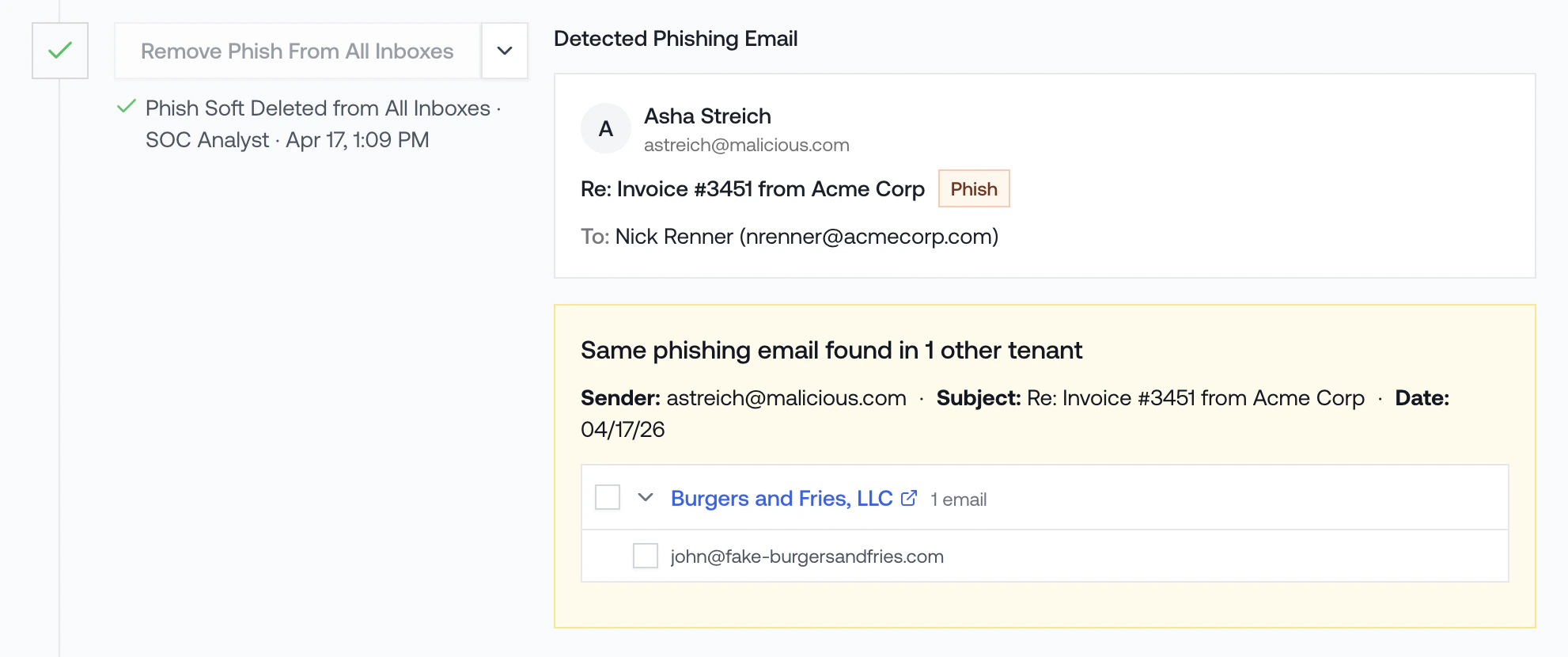
If the phish is tied to an active incident, use the **Cross-Tenant Phish** panel in the Remediation Actions panel on the incident page. Petra automatically finds matching emails across your other tenants, and you can delete them from this page.
 ## Ad hoc, by subject, not tied to an incident
For emails that are not tied to an incident, search by subject from a tenant's Admin panel and delete them in bulk.
**Why didn't Petra alert on this phish?** Petra is an identity threat detection tool, not an email security tool. We only alert when an attacker actually gets into an account. A phish sitting in inboxes that nobody fell for is exactly what email security tools are built to handle. See [ITDR vs. Email Security](/itdr-vs-email-security) for the full picture.
1. From the **Homepage**, click any tenant to open the tenant page.
2. Scroll to the **Admin** panel and select the **Emails** tab.
3. Click **Cross-Tenant Phish Removal** in the top right of the panel.
4. In the modal, search by subject and confirm the removal. Petra will sweep every tenant you manage.
## Ad hoc, by subject, not tied to an incident
For emails that are not tied to an incident, search by subject from a tenant's Admin panel and delete them in bulk.
**Why didn't Petra alert on this phish?** Petra is an identity threat detection tool, not an email security tool. We only alert when an attacker actually gets into an account. A phish sitting in inboxes that nobody fell for is exactly what email security tools are built to handle. See [ITDR vs. Email Security](/itdr-vs-email-security) for the full picture.
1. From the **Homepage**, click any tenant to open the tenant page.
2. Scroll to the **Admin** panel and select the **Emails** tab.
3. Click **Cross-Tenant Phish Removal** in the top right of the panel.
4. In the modal, search by subject and confirm the removal. Petra will sweep every tenant you manage.
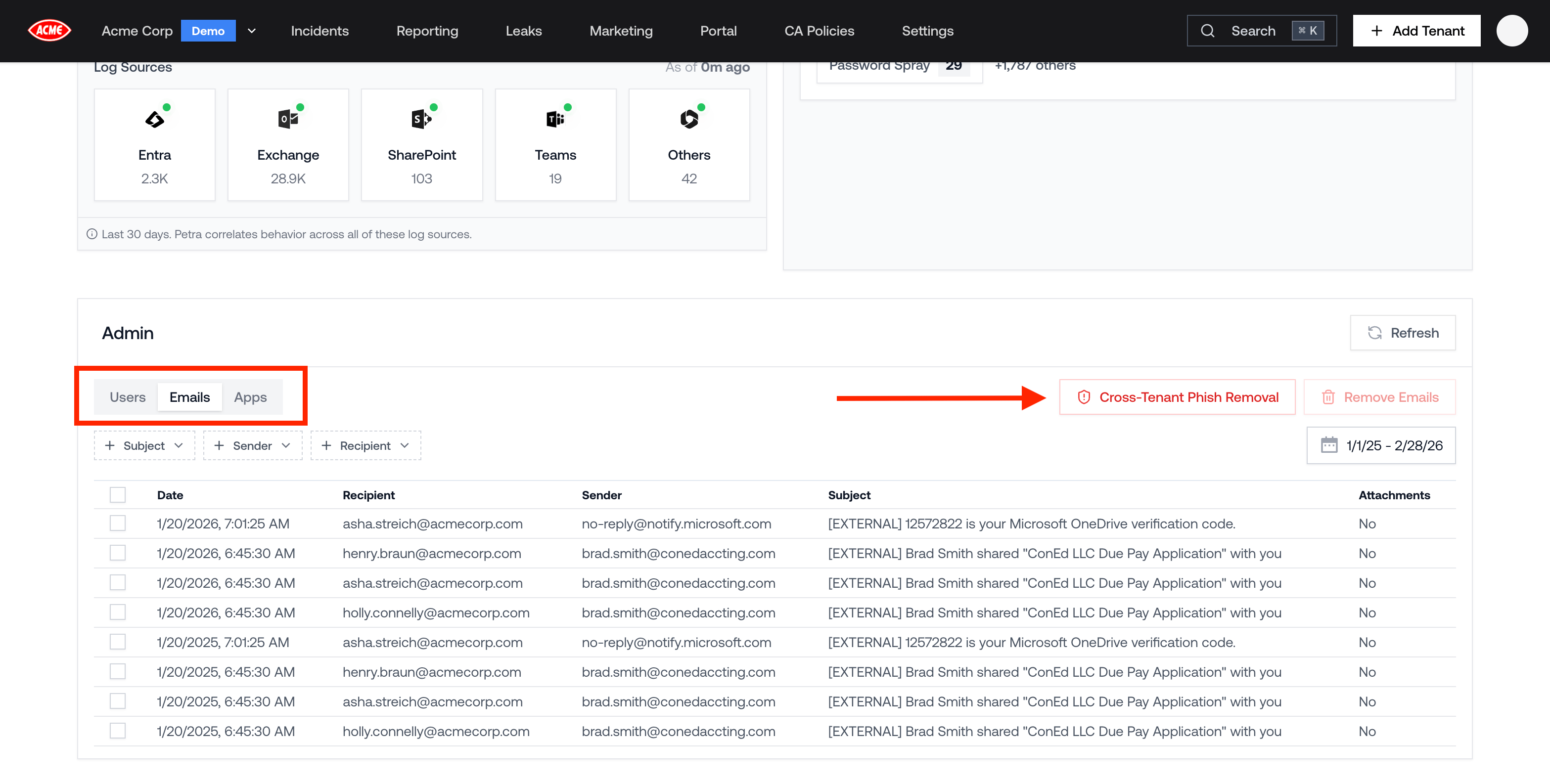 The **Cross-Tenant Phish Removal** button is only visible to Admins. If you don't see it, ask an Admin on your team to run the removal, or update your role in [Member Roles and Permissions](/settings/member-roles-and-permissions).