> ## Documentation Index
> Fetch the complete documentation index at: https://docs.petrasecurity.com/docs/llms.txt
> Use this file to discover all available pages before exploring further.
# Who is attacking my environment? (Failed Attacks)
> Investigate unsuccessful login attempts and attacker behavior
## Overview
The Failed Attacks tab provides visibility into unsuccessful login attempts targeting your organization's M365 environment. This allows you to:
* View geographic distribution of attack attempts
* Identify most frequently targeted accounts
* Recognize specific attack tactics and toolkits
* Track attack patterns over time
* Generate reports for client presentations
Failed attacks represent unsuccessful attempts to access your tenant. While these attacks were blocked, they provide valuable intelligence about attacker behavior and targeting patterns.
## Accessing Failed Attacks
1. Navigate to your tenant by selecting it from the tenant selector in the top left corner.
2. Click on the **Reporting** tab in the top navigation bar.
3. Select the **Failed Attacks** tab.
 ## Dashboard Components
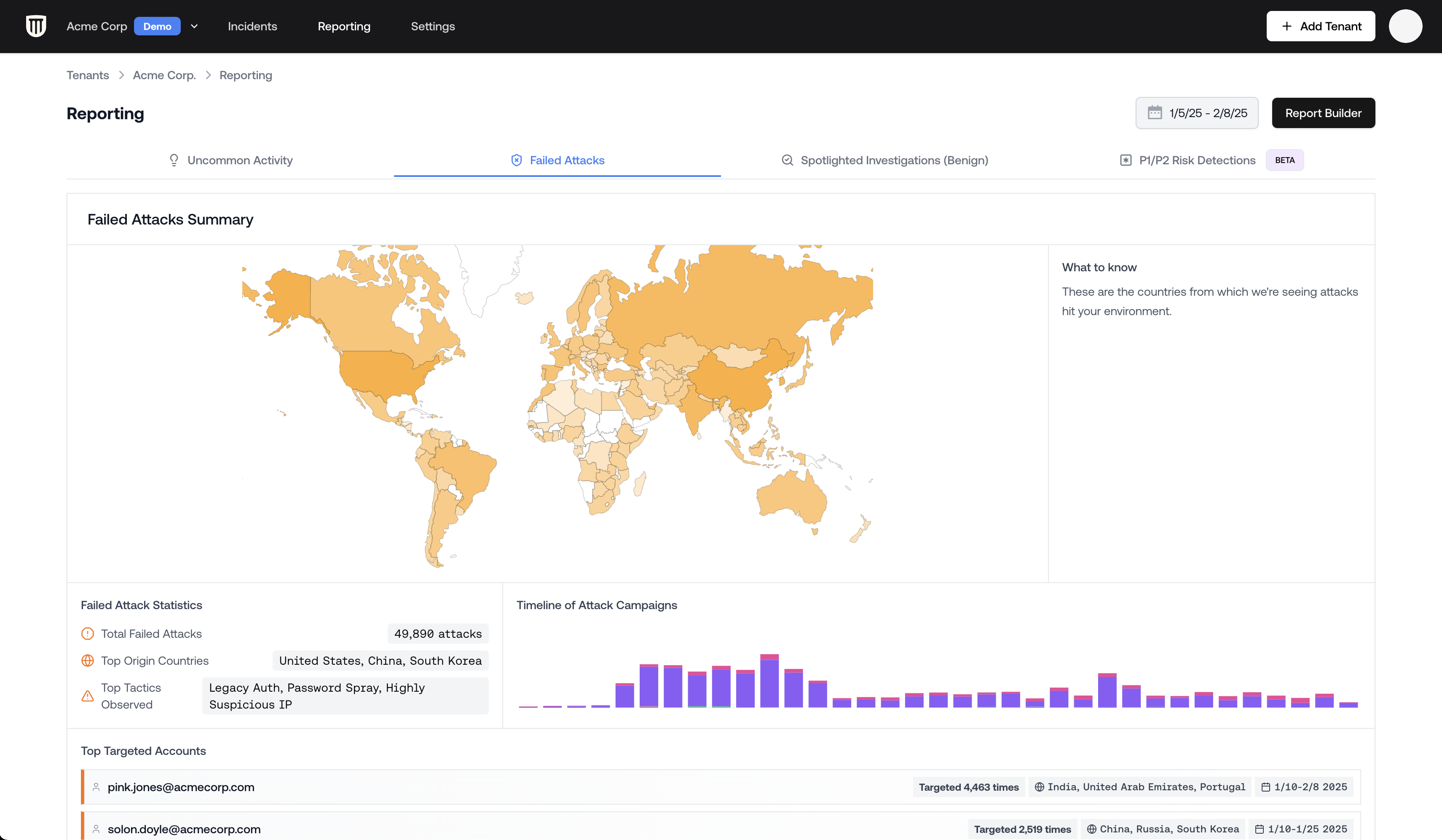
### Geographic Distribution Map
The interactive map displays the global origins of failed attack attempts. Each point represents the location where an attack was observed.
The geographic location indicates where the attack traffic originated, which may represent proxies or VPNs rather than the attacker's actual location. The United States is commonly shown as a source of attack traffic.
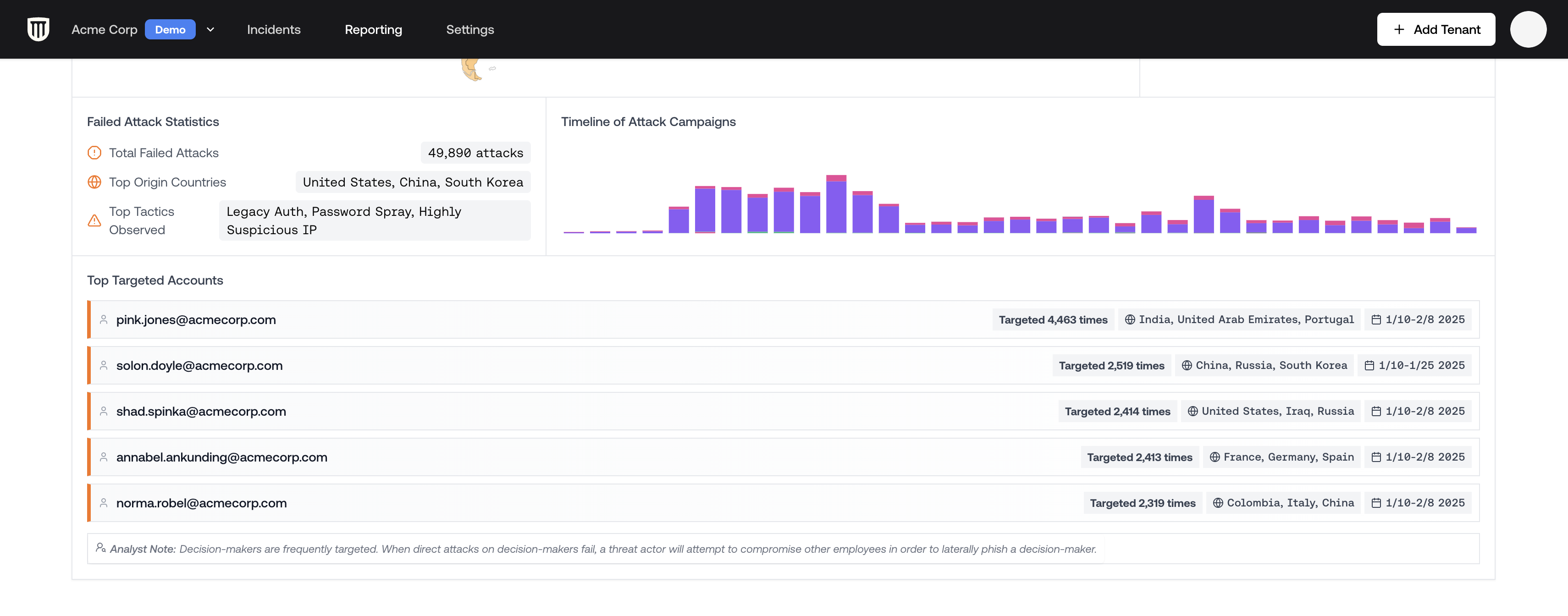
### Attack Statistics
The dashboard shows key metrics including:
* Total number of failed attacks
* Top countries of origin
* Attack tactics observed
* Timeline showing attack frequency
* Most targeted accounts
### Attack Types
Petra identifies the types of failed attacks. Here are a few of the most common:
#### Legacy Authentication
The most common attack vector involves legacy authentication protocols, which often lack modern security controls.
#### Attacker-in-the-Middle (AiTM) Toolkits
Petra specifically identifies known phishing-as-a-service toolkits:
Petra names AitM Phishing-as-a-Service toolkits with the moniker 'Hornet'. When you see "Frantic Hornet" or "Piercing Hornet", for example, these indicate more sophisticated phishing-as-a-service attacks. These tools are designed to bypass MFA and indicate there is a campaign underway.
#### Cloud Resource Targeting
Attacks labeled "Azure ACOM" or "Azure SSO Spoof" indicate attempts to access Azure resources, potentially to:
* Deploy cryptocurrency mining operations
* Spin up unauthorized cloud resources
* Access sensitive data
## Detailed Attack List
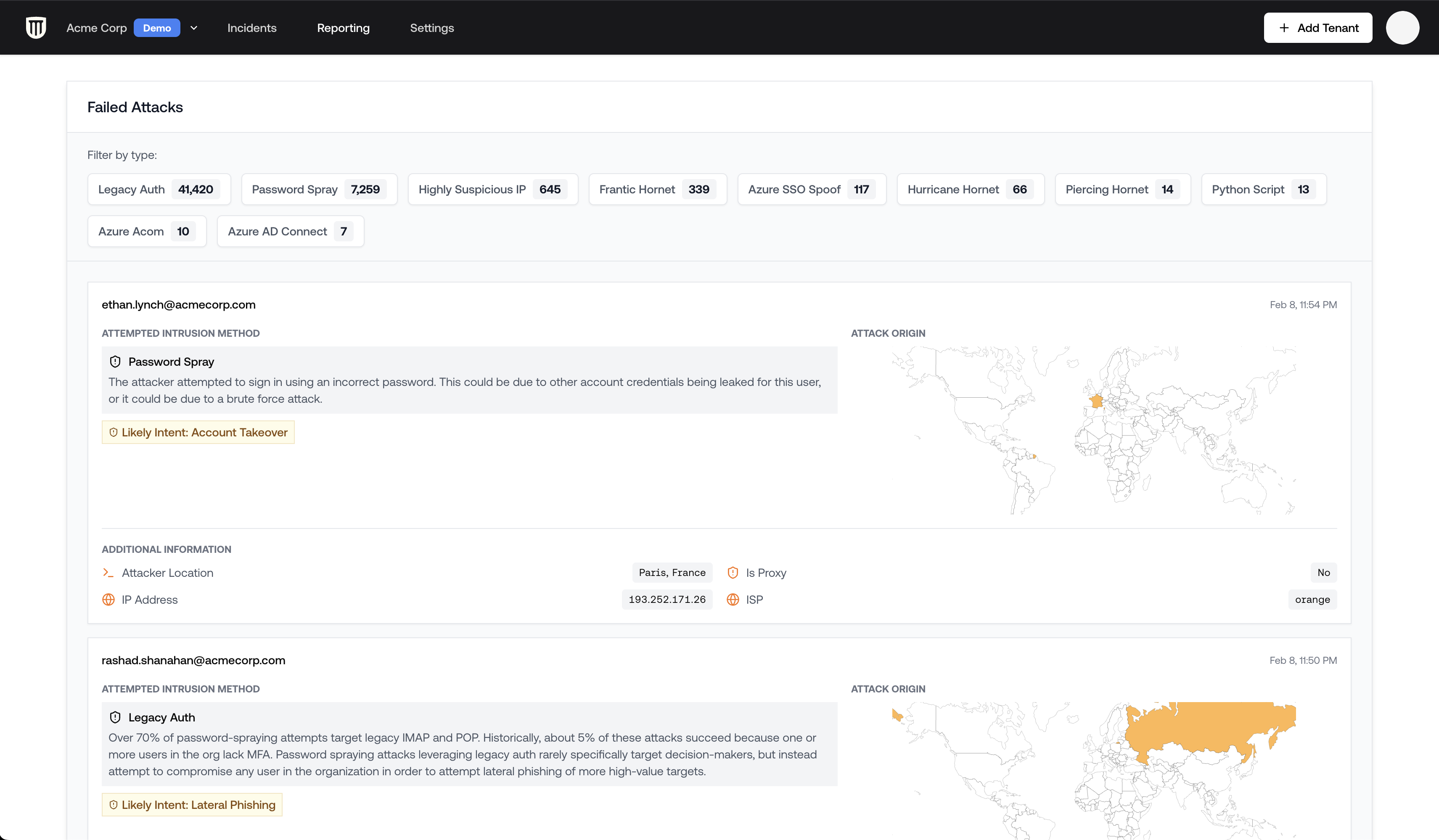
Below the summary dashboard, you'll find a detailed list of all failed attacks:
1. **Filter the list** to focus on specific attack types
2. **Sort by date** to identify recent campaign patterns
3. **Look for patterns** in targeted accounts or attack methods
Pay special attention to non-legacy auth attacks, as these often indicate more sophisticated threat actors specifically targeting your organization.
## Dashboard Components
### Geographic Distribution Map
The interactive map displays the global origins of failed attack attempts. Each point represents the location where an attack was observed.
The geographic location indicates where the attack traffic originated, which may represent proxies or VPNs rather than the attacker's actual location. The United States is commonly shown as a source of attack traffic.
### Attack Statistics
The dashboard shows key metrics including:
* Total number of failed attacks
* Top countries of origin
* Attack tactics observed
* Timeline showing attack frequency
* Most targeted accounts
### Attack Types
Petra identifies the types of failed attacks. Here are a few of the most common:
#### Legacy Authentication
The most common attack vector involves legacy authentication protocols, which often lack modern security controls.
#### Attacker-in-the-Middle (AiTM) Toolkits
Petra specifically identifies known phishing-as-a-service toolkits:
Petra names AitM Phishing-as-a-Service toolkits with the moniker 'Hornet'. When you see "Frantic Hornet" or "Piercing Hornet", for example, these indicate more sophisticated phishing-as-a-service attacks. These tools are designed to bypass MFA and indicate there is a campaign underway.
#### Cloud Resource Targeting
Attacks labeled "Azure ACOM" or "Azure SSO Spoof" indicate attempts to access Azure resources, potentially to:
* Deploy cryptocurrency mining operations
* Spin up unauthorized cloud resources
* Access sensitive data
## Detailed Attack List
Below the summary dashboard, you'll find a detailed list of all failed attacks:
1. **Filter the list** to focus on specific attack types
2. **Sort by date** to identify recent campaign patterns
3. **Look for patterns** in targeted accounts or attack methods
Pay special attention to non-legacy auth attacks, as these often indicate more sophisticated threat actors specifically targeting your organization.
 ## Understanding Targeted Accounts
Common targets typically include:
* **Shared mailboxes**: accounts like sales@, info@, or accounting@
* **Executive accounts**: CEO, CFO and other C-suite positions
* **Previously compromised users**: attackers often repeatedly target users who have clicked phishing links in the past
Targeted accounts are great first steps for hardening an environment. They make fantastic launchpads for M365 hardening projects.
## Understanding Targeted Accounts
Common targets typically include:
* **Shared mailboxes**: accounts like sales@, info@, or accounting@
* **Executive accounts**: CEO, CFO and other C-suite positions
* **Previously compromised users**: attackers often repeatedly target users who have clicked phishing links in the past
Targeted accounts are great first steps for hardening an environment. They make fantastic launchpads for M365 hardening projects.
 ## Generating Reports
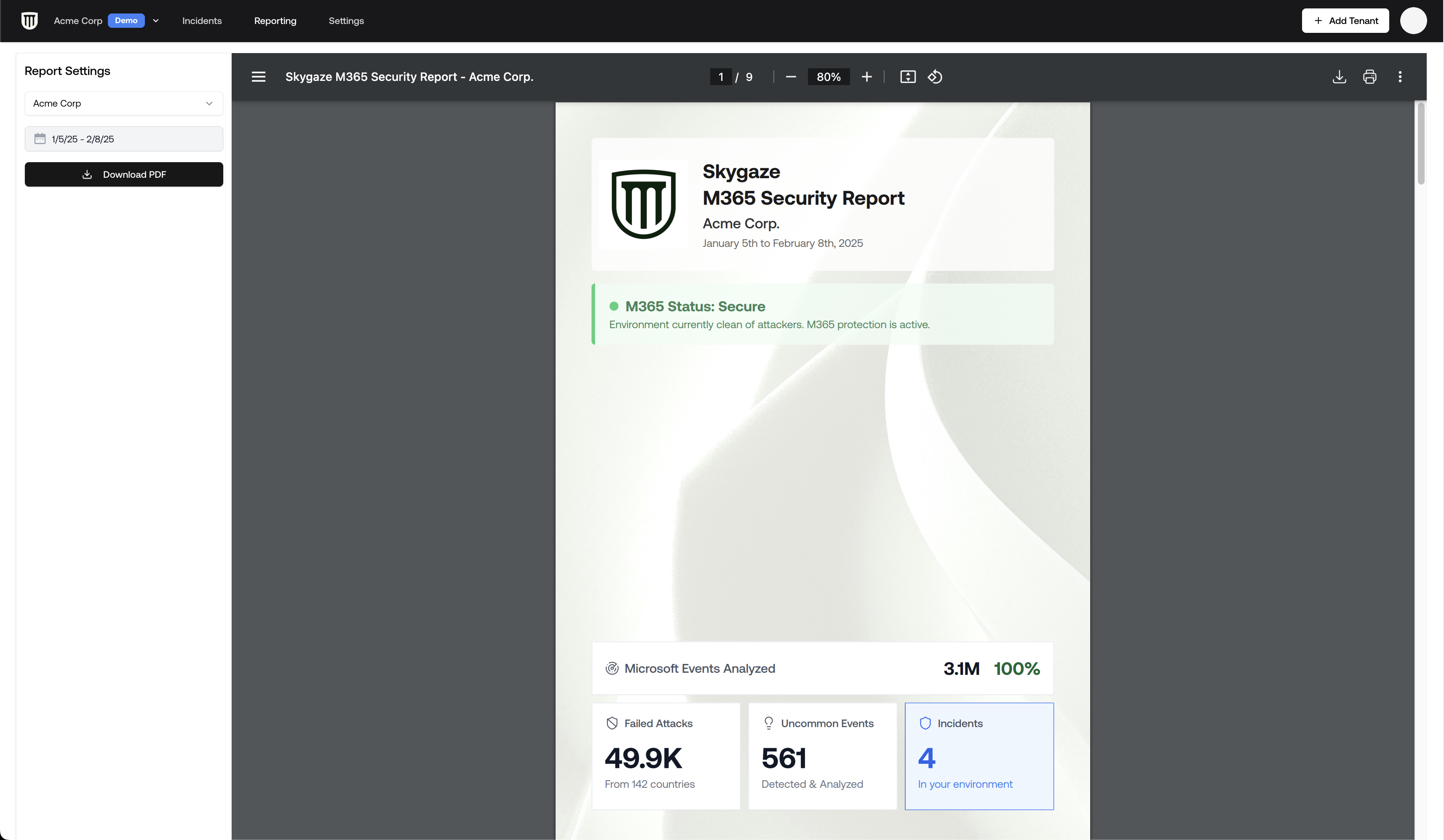
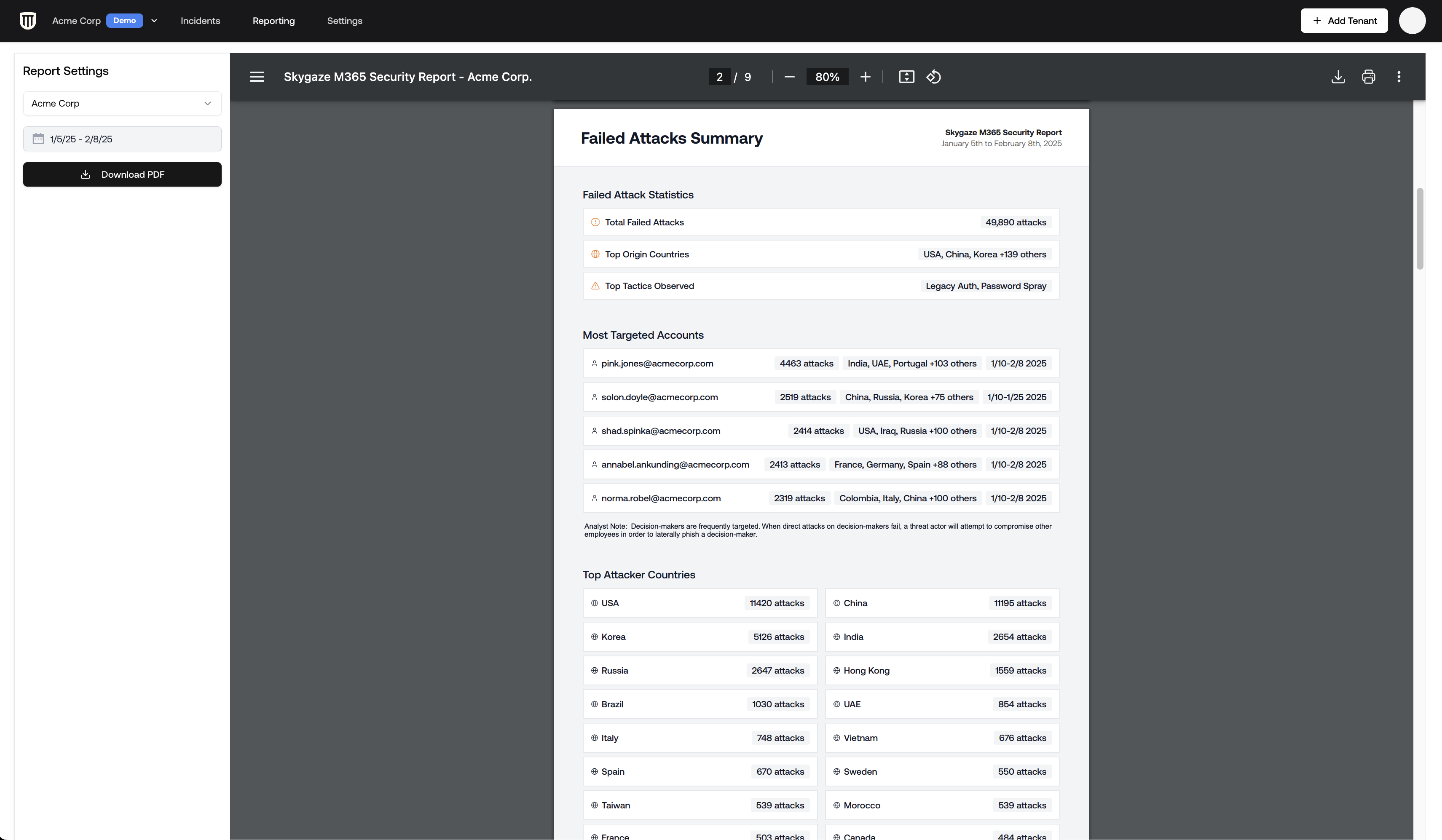
Failed attack data can be compiled into client-ready PDF reports:
1. Navigate to the **Report Builder** section
2. Select the failed attacks module
3. Generate a PDF containing:
* Summary of attack statistics
* Specifically listing: who's being targeted, by which attack vectors
* Sample of notable failed attacks
* Uncommon attack activity details
For more detailed analysis of specific attack patterns, see our [Research](https://www.petrasecurity.com/research)
## Generating Reports
Failed attack data can be compiled into client-ready PDF reports:
1. Navigate to the **Report Builder** section
2. Select the failed attacks module
3. Generate a PDF containing:
* Summary of attack statistics
* Specifically listing: who's being targeted, by which attack vectors
* Sample of notable failed attacks
* Uncommon attack activity details
For more detailed analysis of specific attack patterns, see our [Research](https://www.petrasecurity.com/research)